Add, pause, archive, or transfer an athlete from one panel. Your roster is the source of truth for who you train.
Athletes panel
From your dashboard, click "Athletes" in the side nav. You'll see every active, paused, and archived athlete in one table. The default view shows active athletes, sorted by last activity.
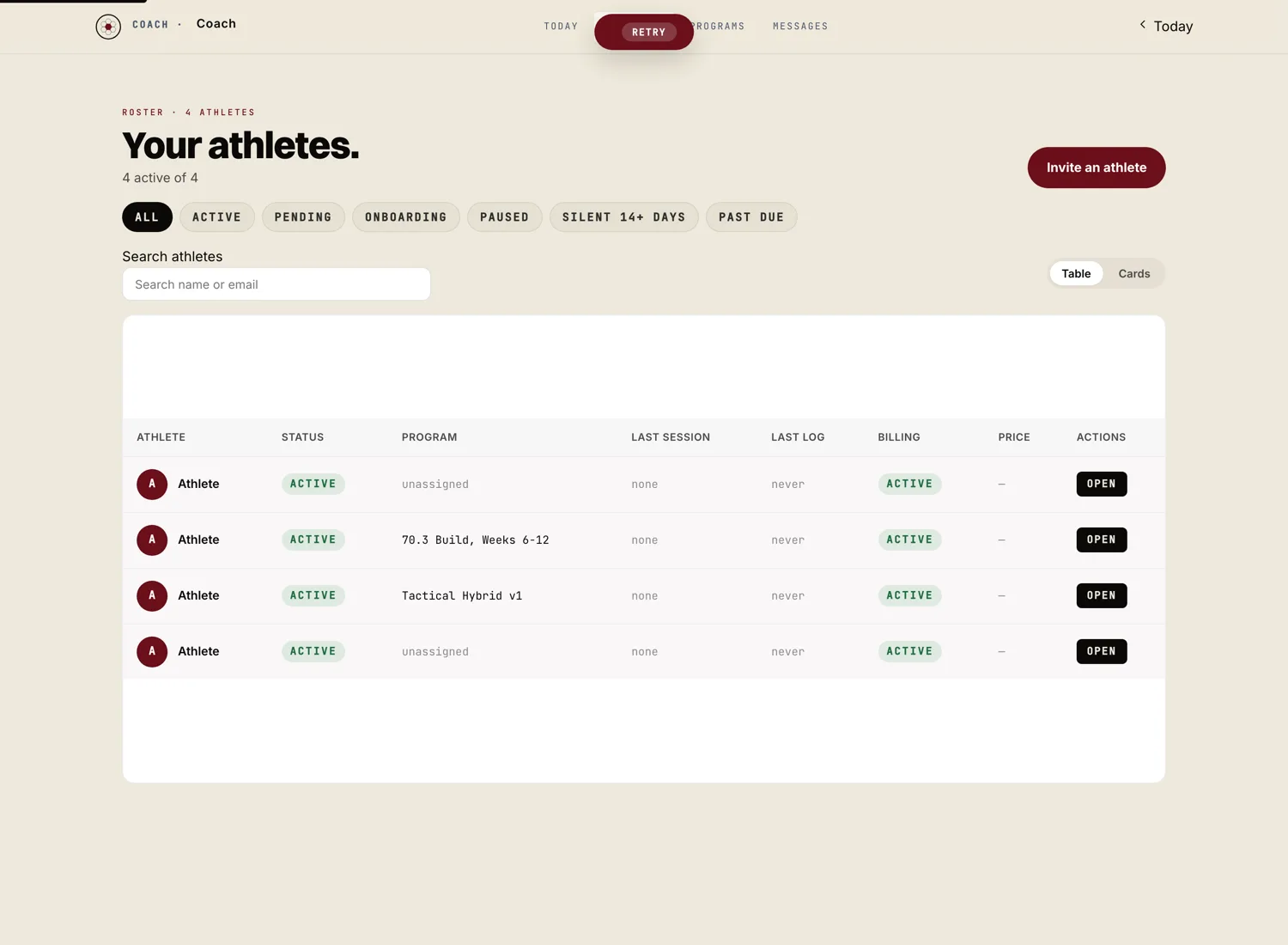
Click "Invite athlete"
The invite flow is the same as for your first athlete. Enter their email, pick the plan, send the invite. See how to invite your first athlete for the full walkthrough.
Click their name » Pause
Pausing stops their next subscription charge and freezes their program. They keep their account and their history. When you unpause, the subscription resumes on the next billing cycle and they can pick up training where they left off.
Use pause for travel, injury, life events. Don't use pause when the athlete is leaving for good. Archive is the right move for that.
Click their name » Archive
Archiving moves the athlete out of your active roster. Their subscription cancels at the end of the current billing period. Their history stays in your account for your records. They keep access to their own data per Marrow's privacy policy.
You can unarchive at any time. If they come back as a paying athlete, you'll set up a fresh subscription.
Available for gym accounts
If you coach inside a gym account on Marrow, the gym admin can transfer an athlete from one coach to another from the gym dashboard. The athlete's history, programs, and subscription details move with them. The athlete gets a clean handoff note.
Solo coach accounts can't transfer to another coach directly. The athlete would need to cancel with you and start fresh with the new coach.